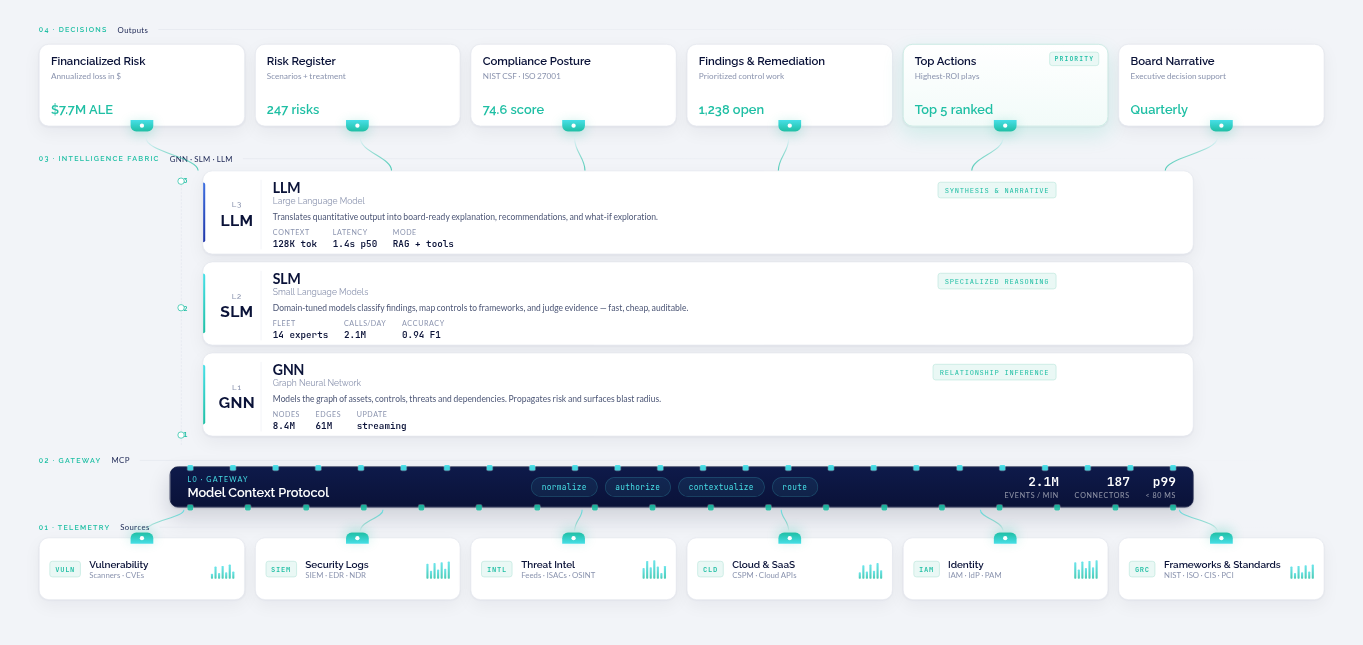
CyberStrong 4.23 removes the manual follow-up from recurring risk work. Re-evaluation forms now run end to end through workflows, custom reports arrive in inboxes on a schedule, and automated assessments show exactly which collected data is, and is not, mapped to your controls.
This release also gives Bowtie risk models a new way to set primary impact labels, makes asset and vulnerability data more reliable, reworks questionnaire review, and adds a dedicated date attribute type. Each update below starts with the gap it closes.
Re-evaluation Forms and Workflows
Re-evaluation forms keep asset-group information current, but creating and tracking them as they come due still required manual effort. Now, workflows handle that work.
Re-evaluation forms are now available without manual feature enablement. Workflows can create and edit forms, set recipients and due dates, and pass form details to later steps. Due-date triggers, status decisions, and notifications support follow-up before and after a form is due, so reminders and escalations run automatically.
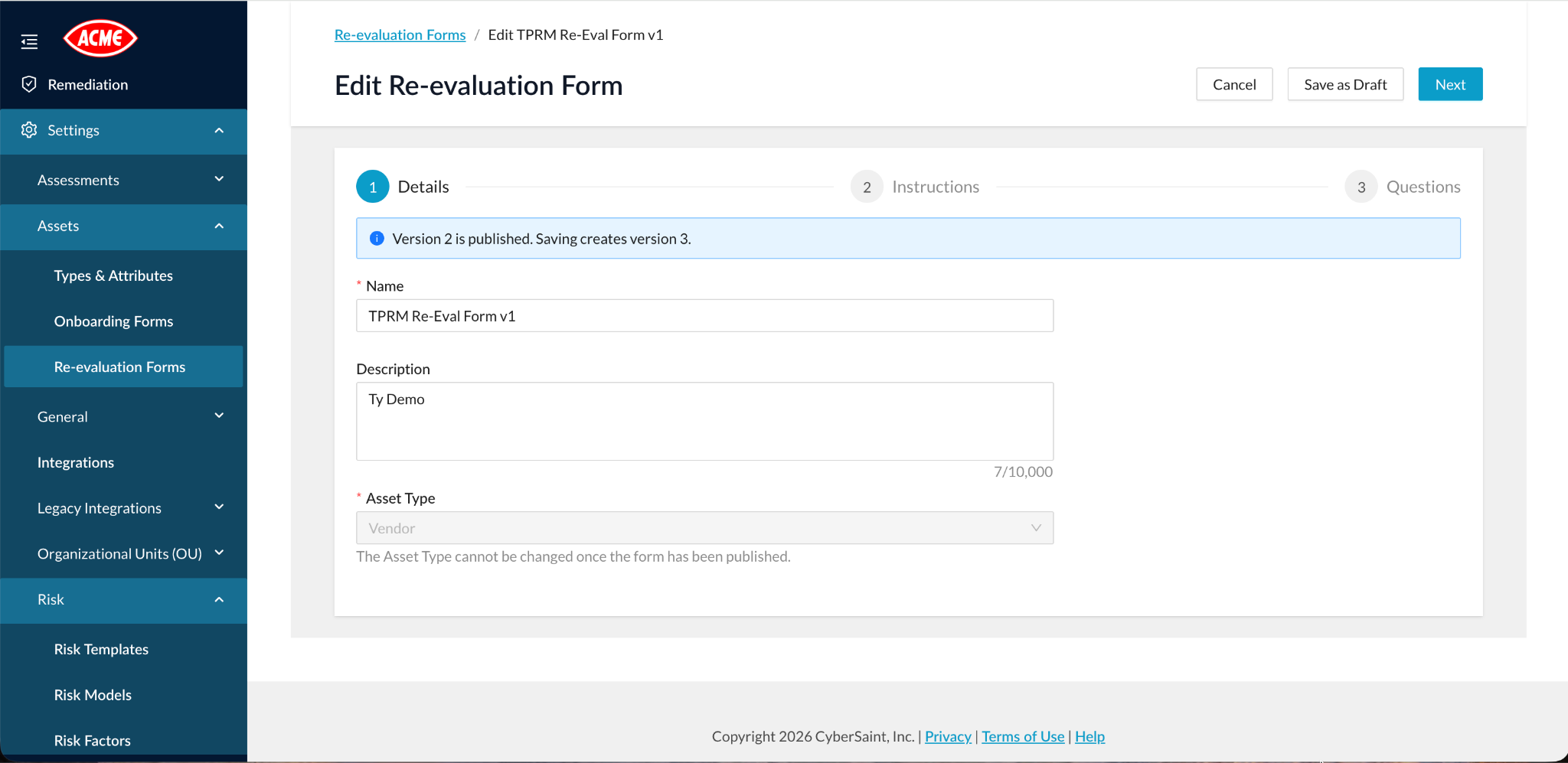
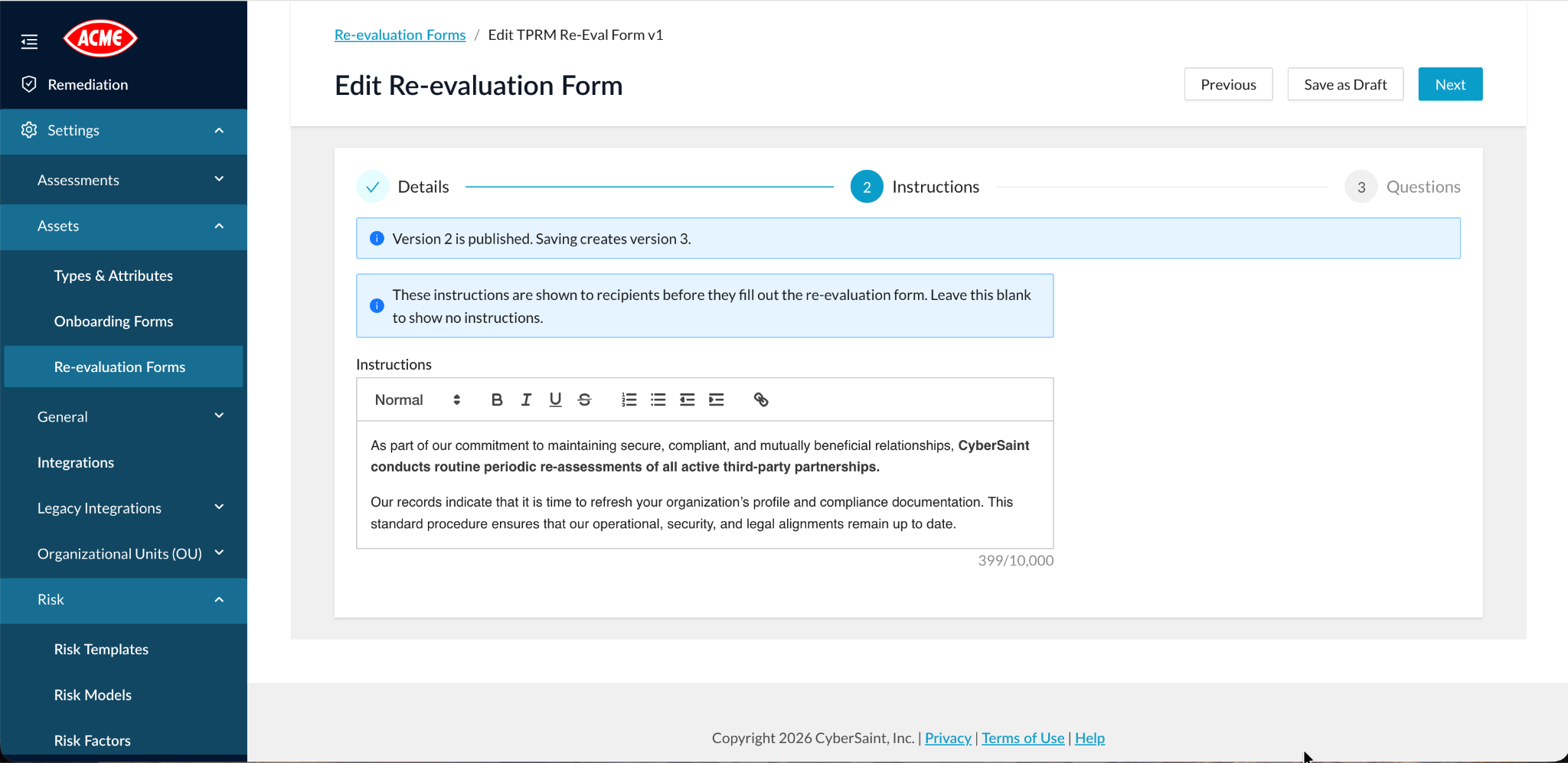
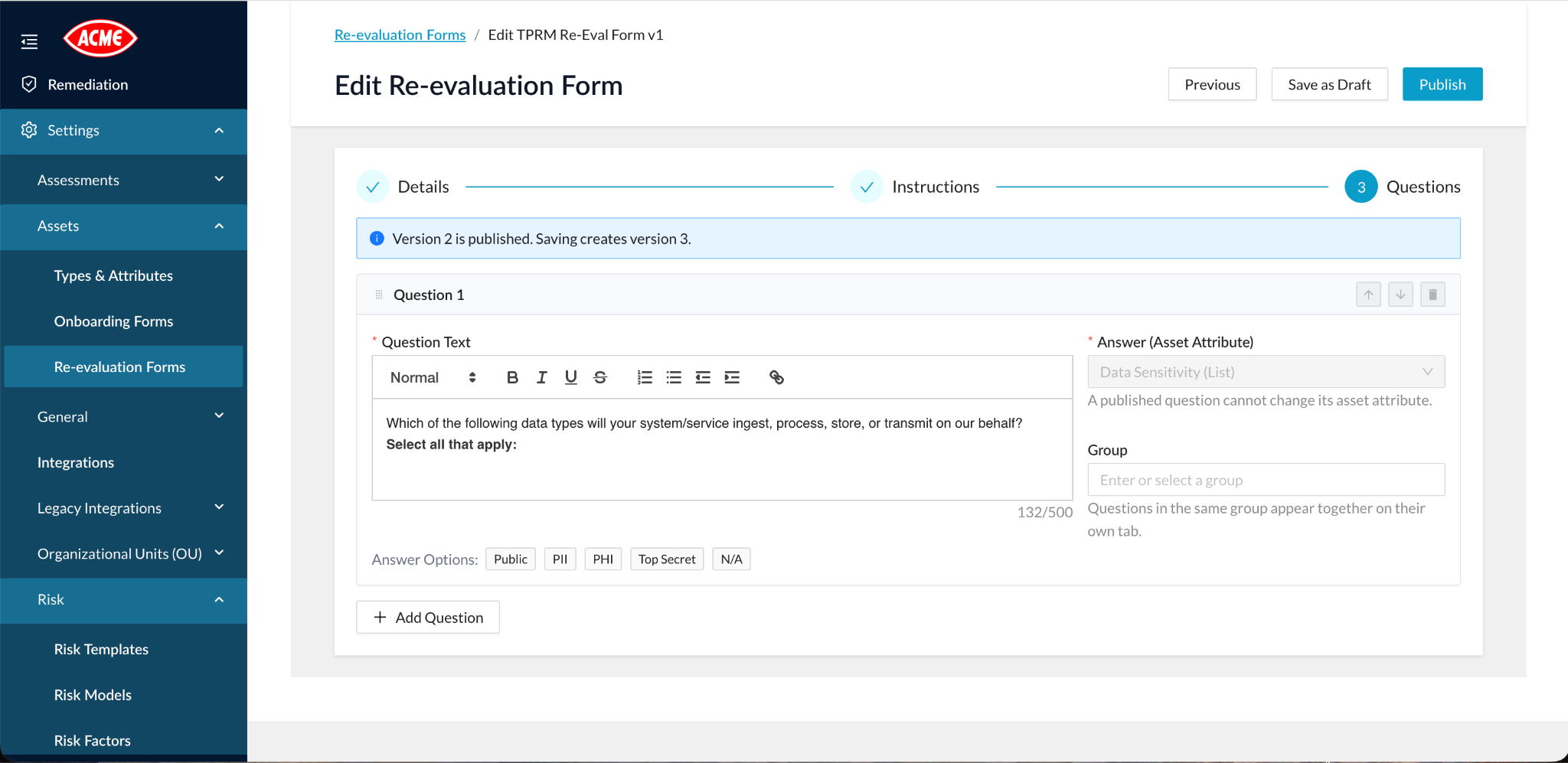
Completing and reviewing forms is easier too:
- Secondary-industry questions capture more relevant context.
- Clearer answer navigation and previews help recipients move through a form.
- Improved recipient management makes it simple to see and adjust who a form is assigned to.
Scheduled Report Delivery
Sharing a recurring custom report meant downloading it and emailing it by hand, every time. Now CyberStrong delivers it for you.
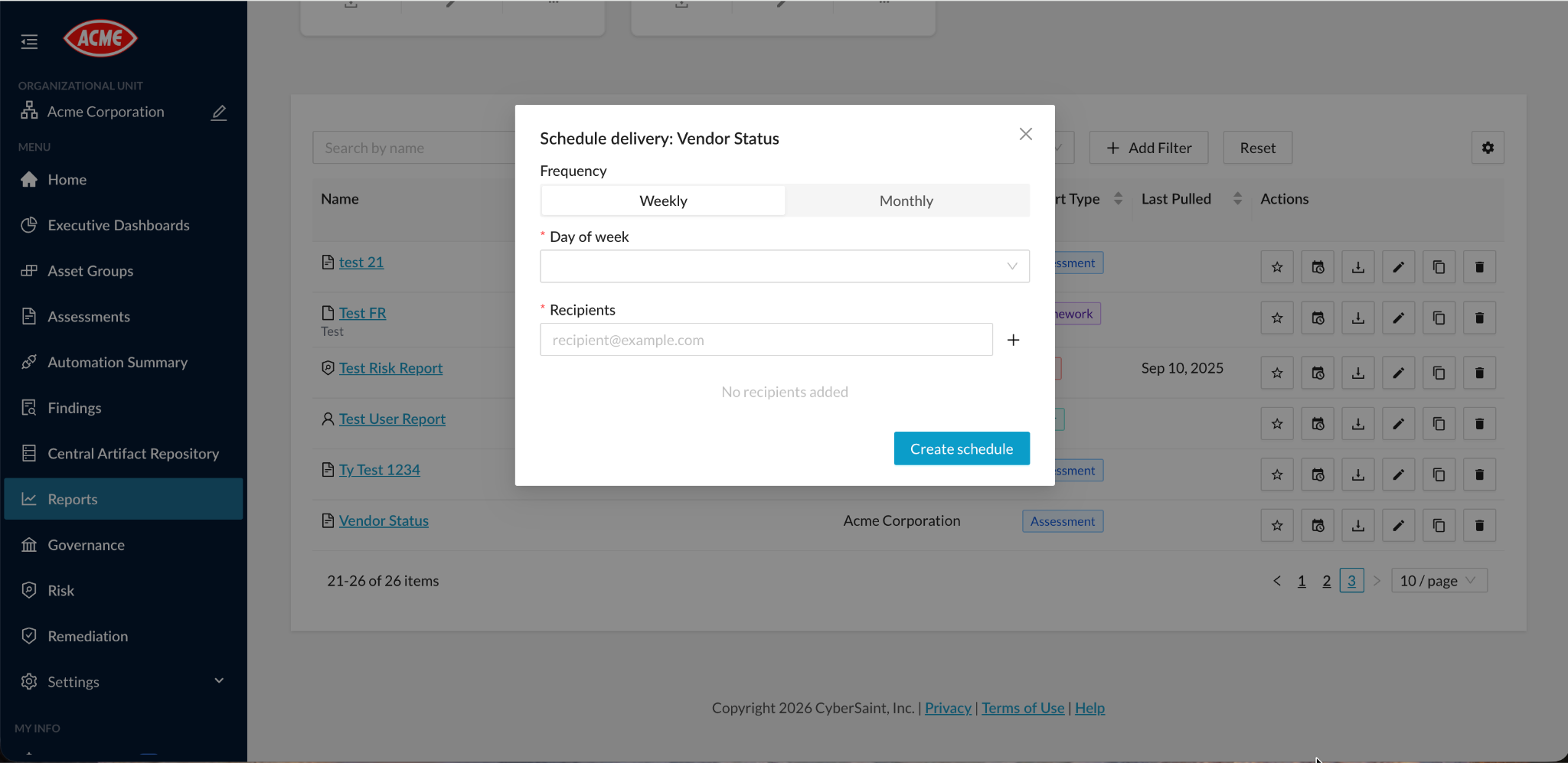
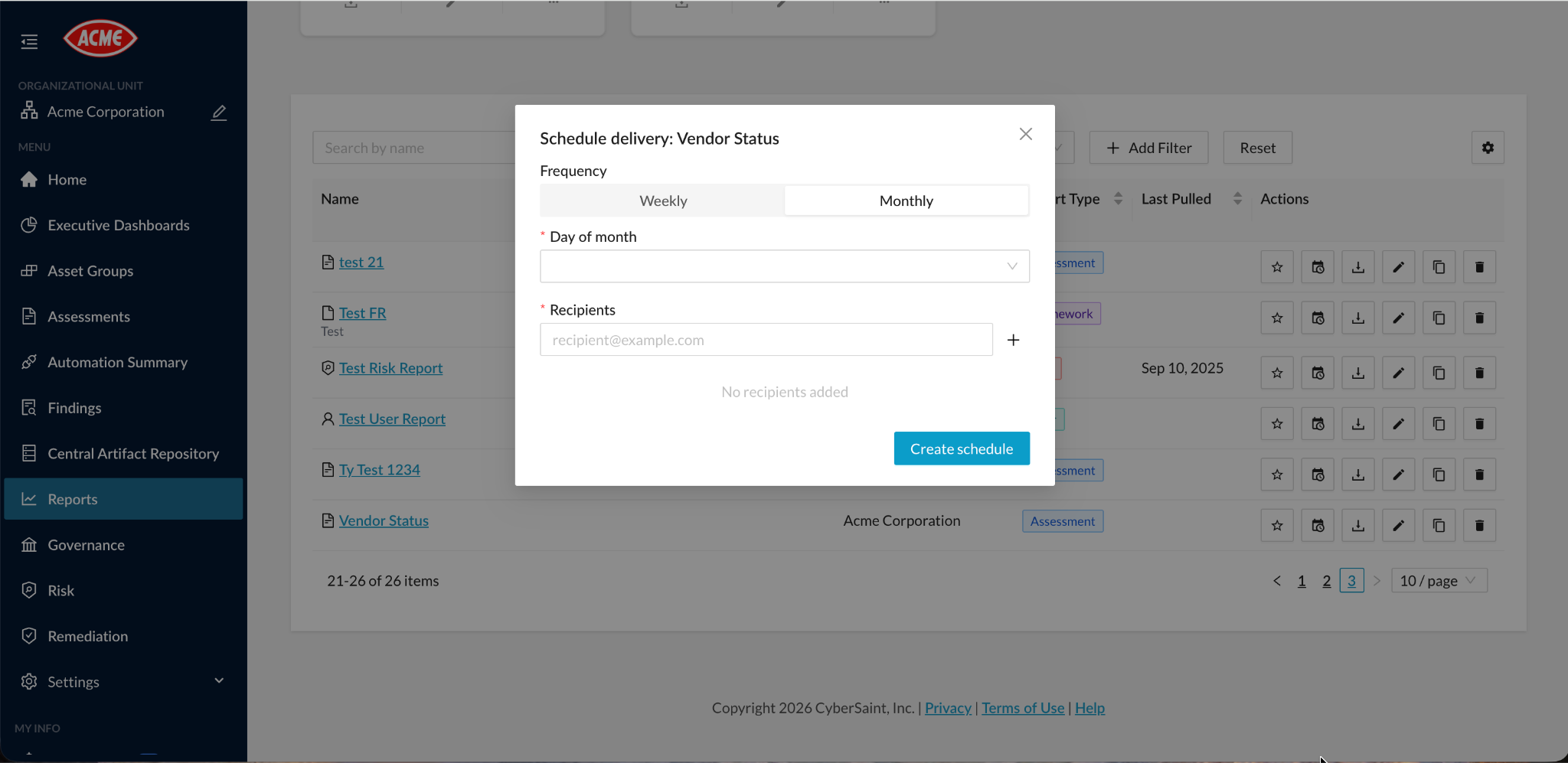
Custom reports can be scheduled for weekly or monthly CSV delivery to selected email addresses. Each scheduled report runs with the report owner's configured content and permissions, so recipients get exactly the view the owner built. You can create, edit, or remove schedules at any time.
Safeguards prevent repeated immediate sends, and if delivery fails for some recipients, CyberStrong reports it clearly so you can follow up.
Automation Coverage Visibility
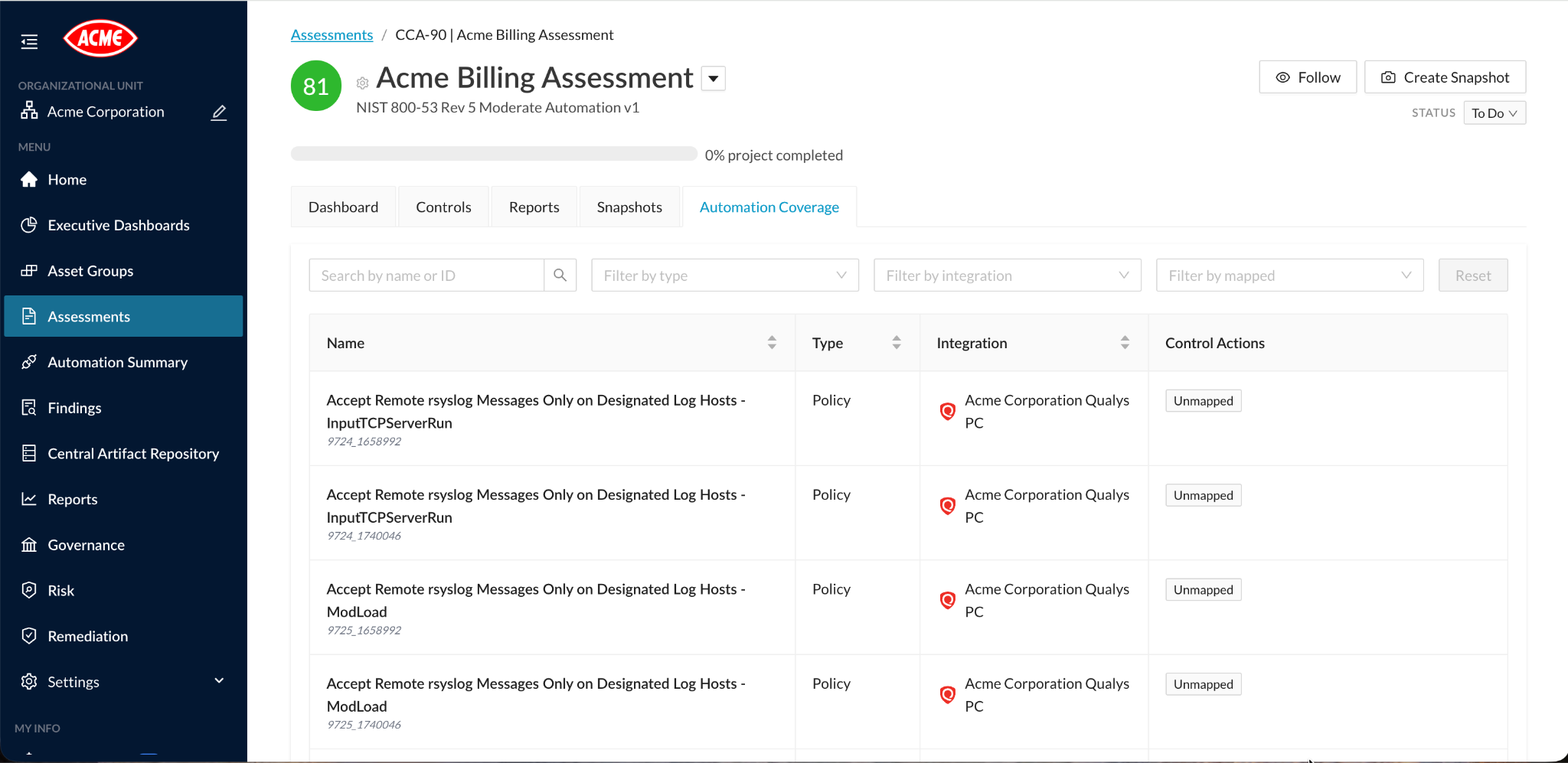
When collected data was not mapped to a control action, the policies and categories behind it were invisible. That made coverage gaps hard to spot.
Automated assessments now include a searchable, filterable view of every policy and category with connector data. For each one, you can see its connector, its mapped control actions, and whether it is mapped or unmapped. Gaps between the data you collect and the controls it supports are now easy to find and close.
Bowtie Risk Impact Options
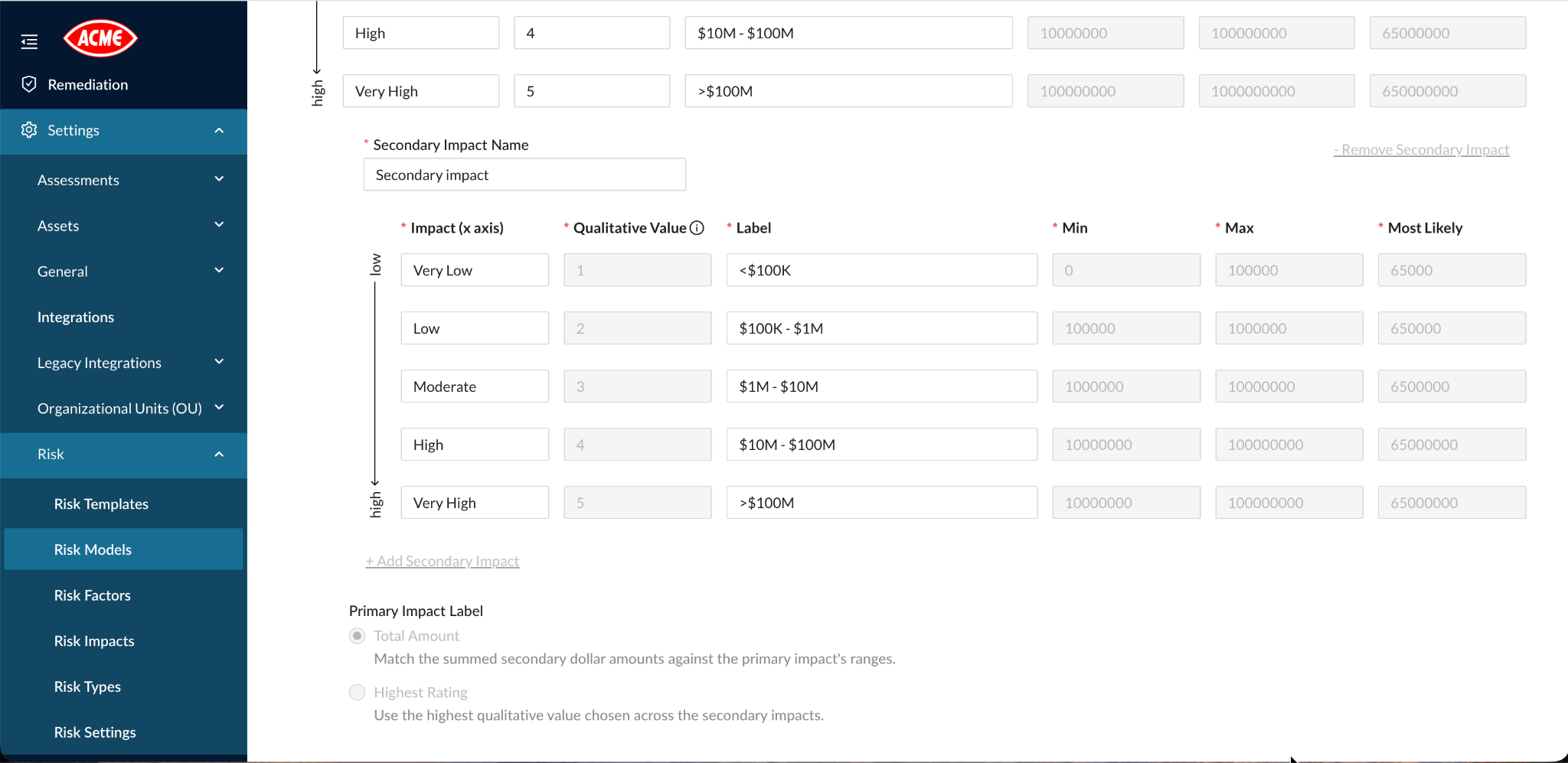
Aggregating secondary impacts into a primary qualitative label works for many teams, but not for those who need the most severe secondary impact to drive the result.
Bowtie risk models can now use the maximum secondary qualitative impact label as the primary impact label. Aggregation remains the default, so existing models behave as before unless you choose otherwise. Quantitative calculations are unchanged, and secondary impact label choices now align with the primary impact.
Asset and Vulnerability Data
Incomplete asset identifiers, inconsistent connector mappings, and mixed-vendor vulnerability labels made collected data harder to interpret. 4.23 makes that data more complete and more trustworthy.
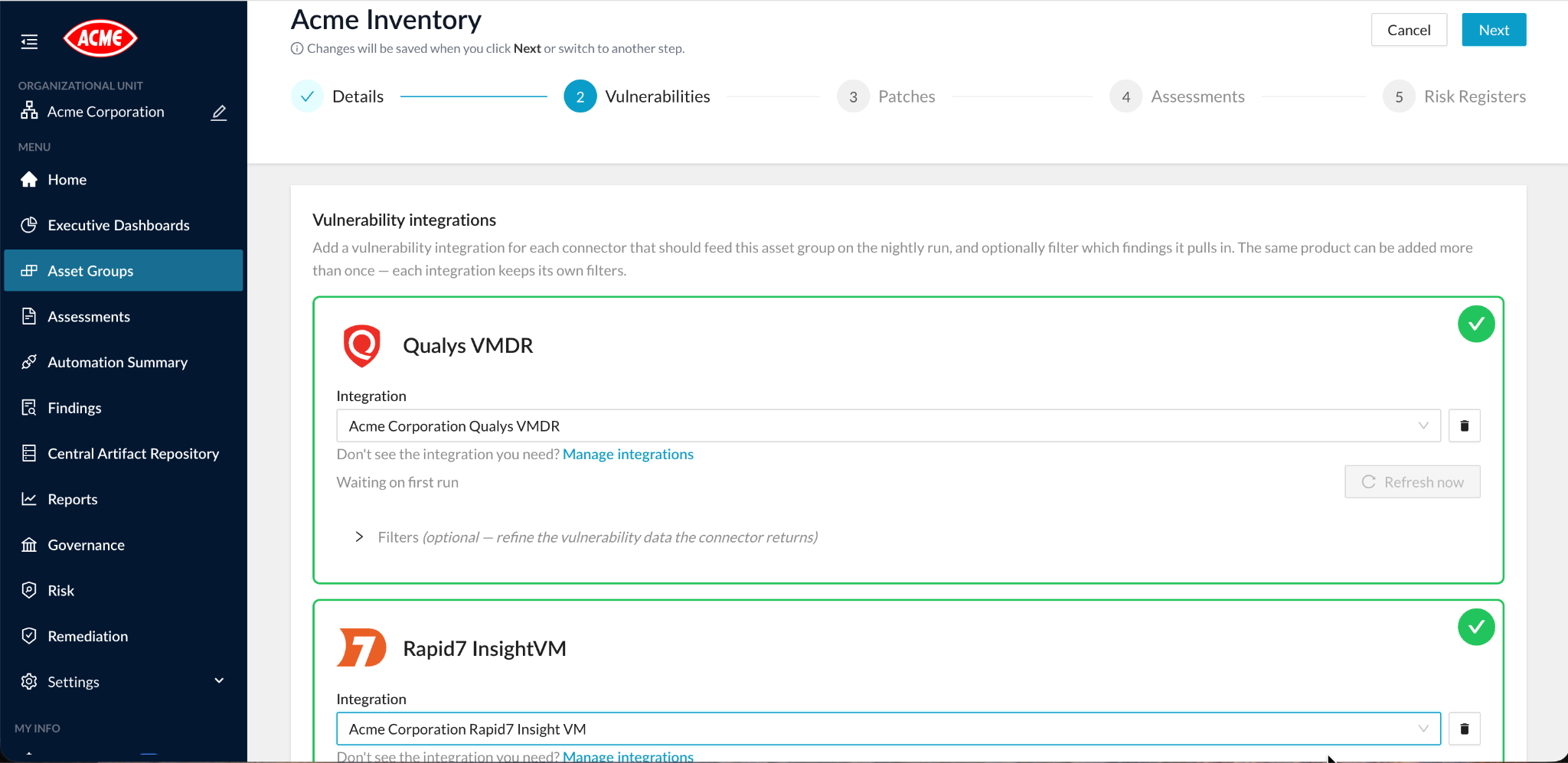
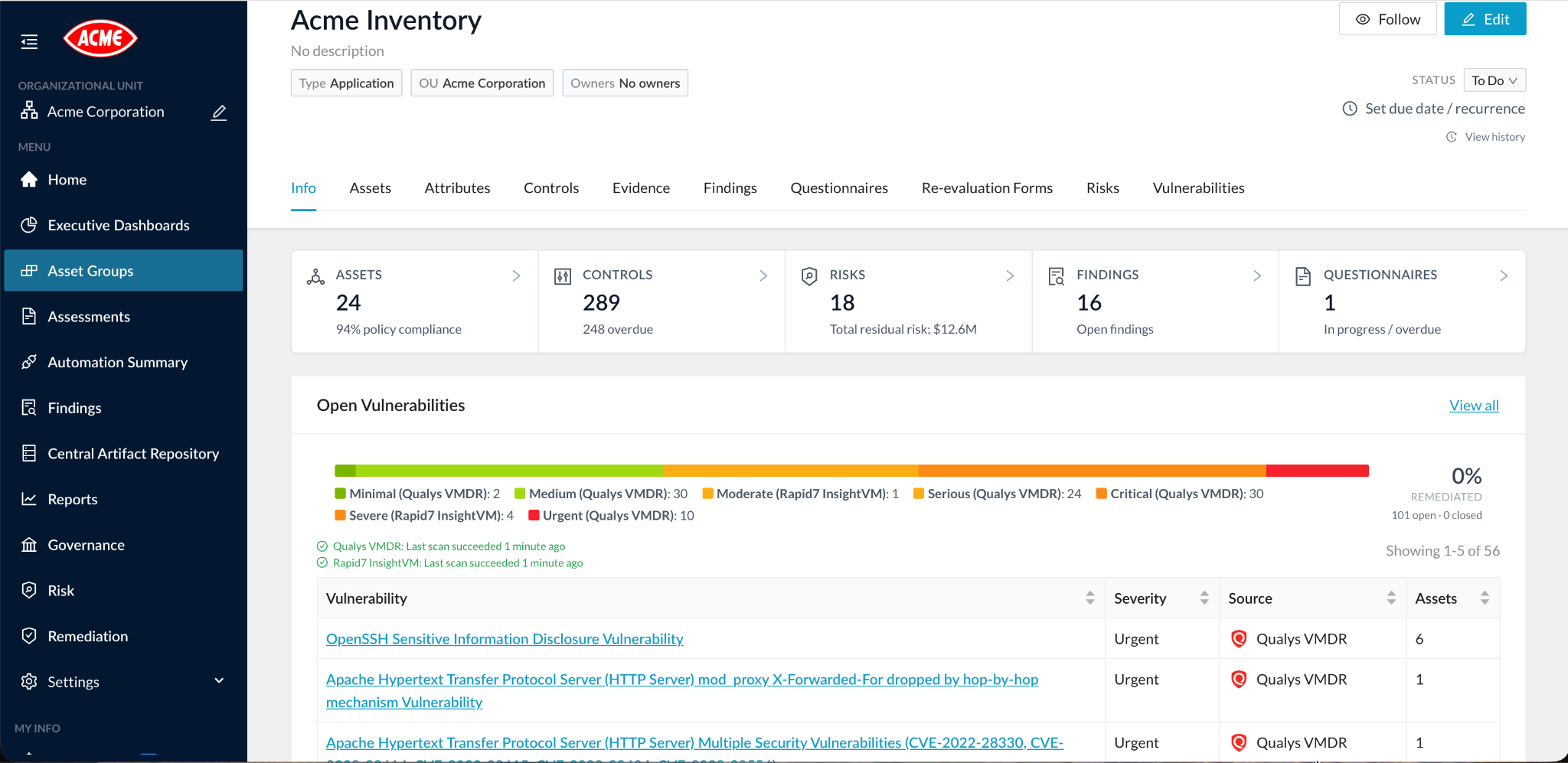
- Rapid7 InsightVM for Asset Groups: Asset Groups can now use Rapid7 InsightVM vulnerability integrations, with findings displayed using vendor-aware severities and statuses.
- More complete identifiers: Connector mapping updates provide fuller cloud, hardware, device, and user identifiers across supported integrations.
- No silent data loss: A failed collection no longer removes existing connector data.
- Clearer integration health: Separate integration statuses make failed or stale vulnerability collections easier to identify.
Questionnaire Review
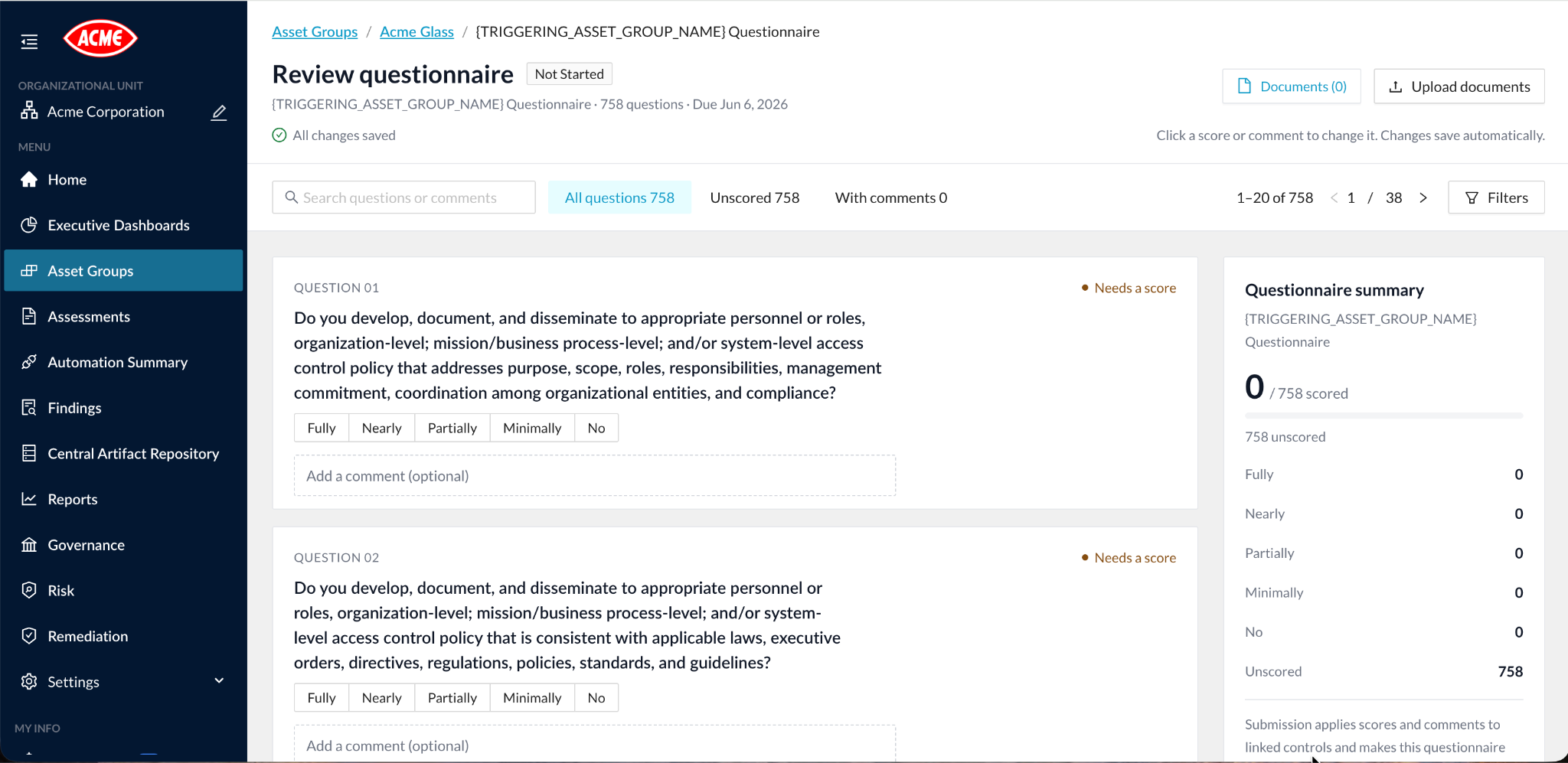
Reviewing questionnaires required too much navigation and offered little visibility into document processing. The review page has been rebuilt around the reviewer.
Question cards, inline answer and comment editing, and a questionnaire summary now sit together in one compact layout, with search, filters, and pagination. Reviewers can also clear a score and return a question to an unscored state.
Document uploads now show processing progress, completion, and failure details, with retry support. Editing and submission are protected while processing runs, and upload permissions follow answer-edit permissions.
Date Asset Attributes
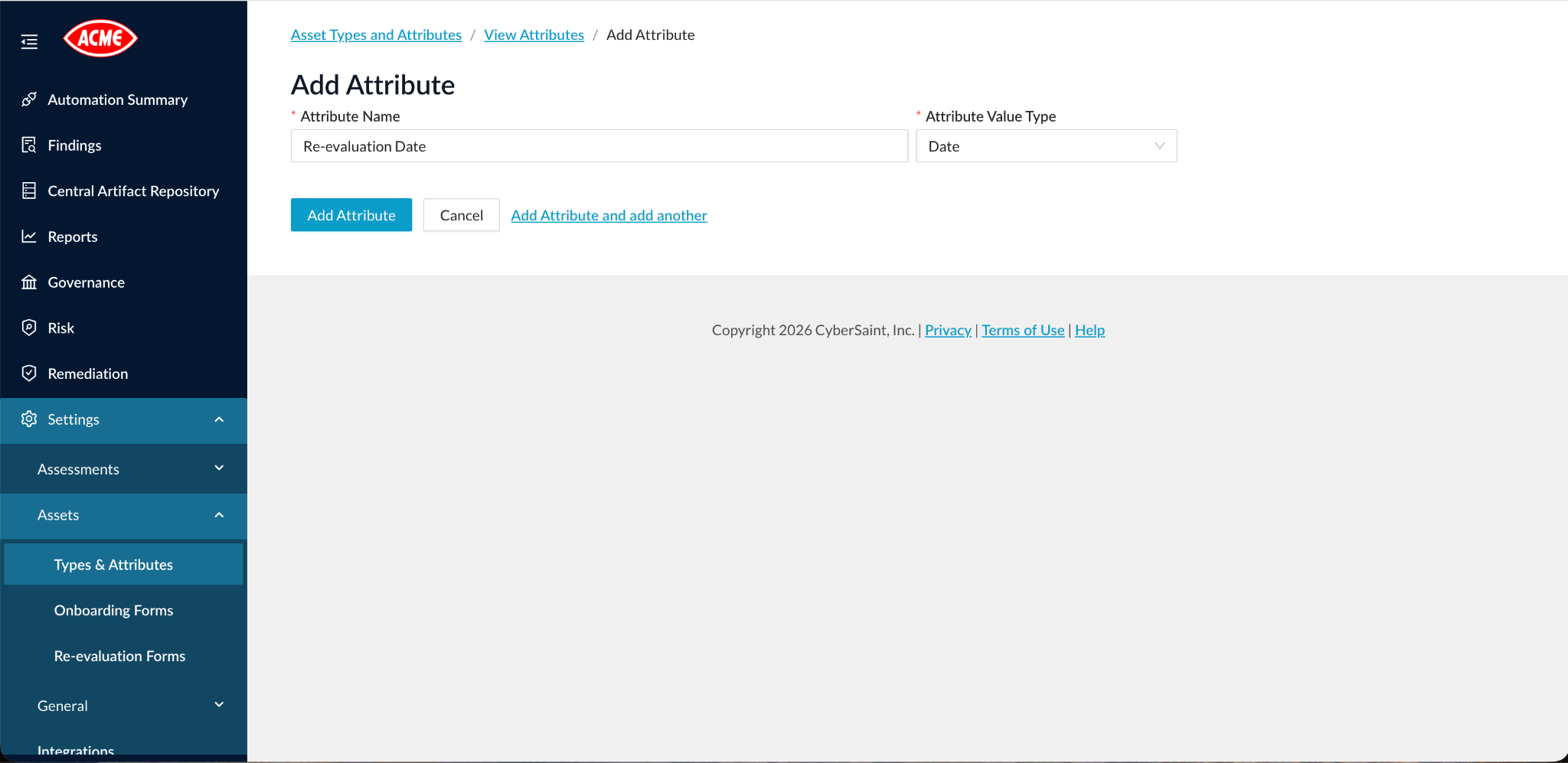
Dates deserve their own attribute type, not a workaround. Asset attributes now include a dedicated date type.
Date attributes support date-picker entry, formatted display, sorting, filtering, imports, and workflows. Validation preserves calendar dates and rejects invalid values, so your asset data stays clean.
Additional Improvements
4.23 also includes refinements across reporting, risk management, workflows, integrations, and access:
- Reporting: More reliable custom-report asset counts, saved metadata fields, and filters, including date ranges and consistent "all of," "any of," and "none of" list operators. Framework reports show the correct control-action content, and Bowtie reports no longer add blank rows for unselected factors or impacts.
- Risk management: Risk Factor and Risk Impact drawers add search, filters, pagination, and associated-control details. Risk widgets support configurable item counts. Separate control weights are preserved across assessments, deleting in-use risk categories has clearer safeguards, and long risk names display better.
- Configuration: Clearer framework lists, scoring-model forms, asset-property formatting, and notification-template editing.
- Workflows: Correct re-evaluation due dates, working recipient popovers, and clearer workflow failure messages. Questionnaire workflow emails use your configured organizational-unit branding.
- Integrations: More accurate Microsoft Defender device findings and private IPs; readable Qualys punctuation and separate findings for vulnerabilities detected on multiple ports. Check Point CloudGuard no longer accepts new integrations; existing integrations remain manageable until the provider's API closes.
- Access and imports: Asset-group access checks and clearer validation of invalid list values during imports.
See CyberStrong 4.23 in Action
Every update in 4.23 serves one goal: recurring risk work that runs itself, and data you can see clearly and trust.
CyberStrong customers can explore these updates now. Contact your Customer Success Manager for a walkthrough.
New to CyberStrong? Request a demo to see how the platform connects your security data to the decisions that matter.