

.png)
.png)
.png)
%201.png)
.png)
Our 4.11 through 4.13 releases focus on solving operational friction points; expanding automation, strengthening integration coverage, increasing configurability, and improving contextual visibility across the platform.
These updates are designed to:
- Reduce administrative overhead
- Accelerate onboarding for enterprise environments
- Enhance real-time control validation
- Provide greater flexibility in risk modeling
- Enable intelligent workflow orchestration
From new Continuous Control Automation (CCA) integrations to a brand-new workflow engine, these releases represent meaningful steps toward a more connected and continuously operating cyber risk management ecosystem.
Below is a detailed breakdown of what’s new and how each enhancement supports scalable cyber risk operations.
New CCA Integrations
CCA relies on strong telemetry and ecosystem connectivity. As adoption increases, expanding integration coverage is critical.
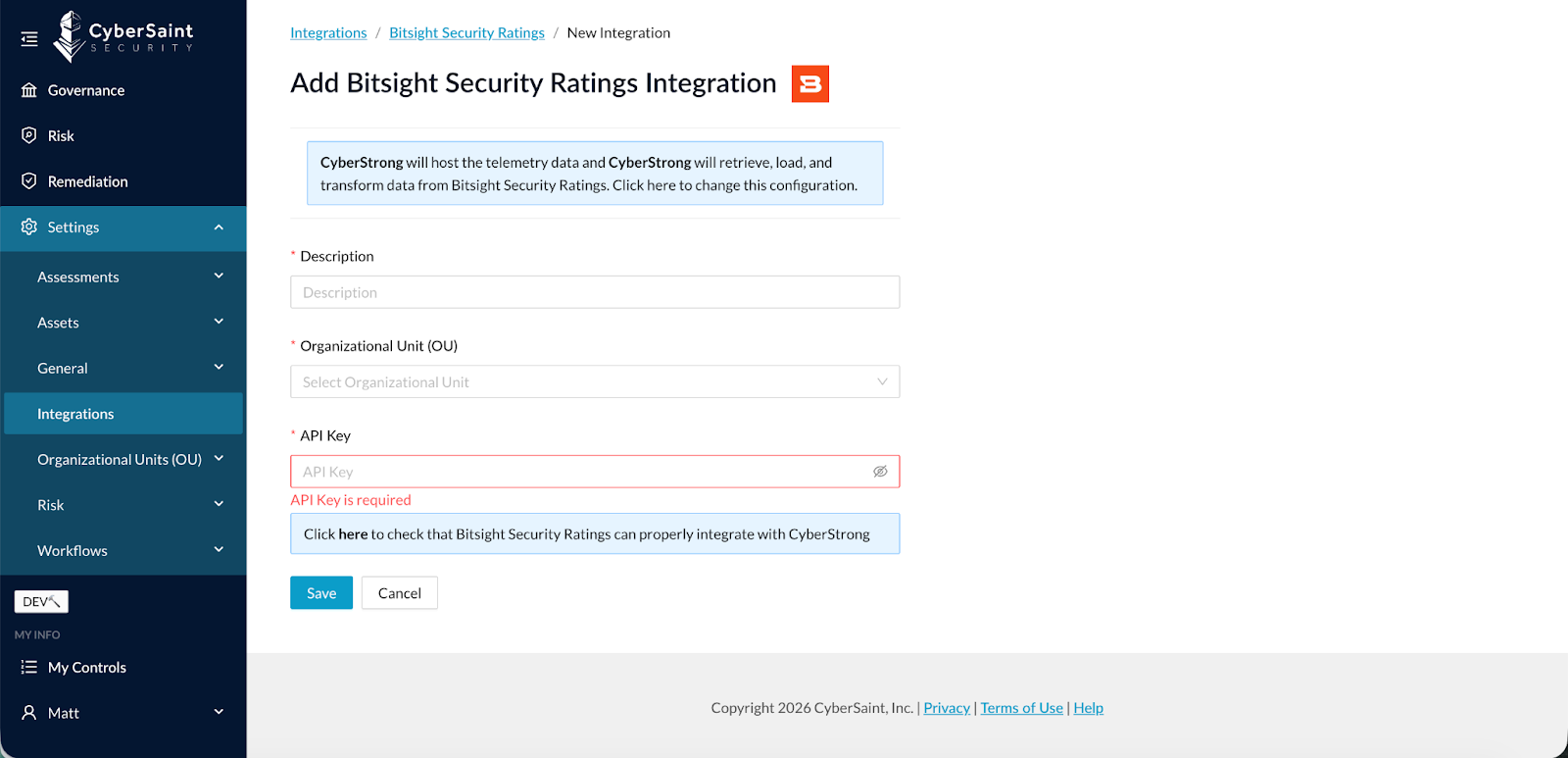
- BitSight Security Ratings (4.11)
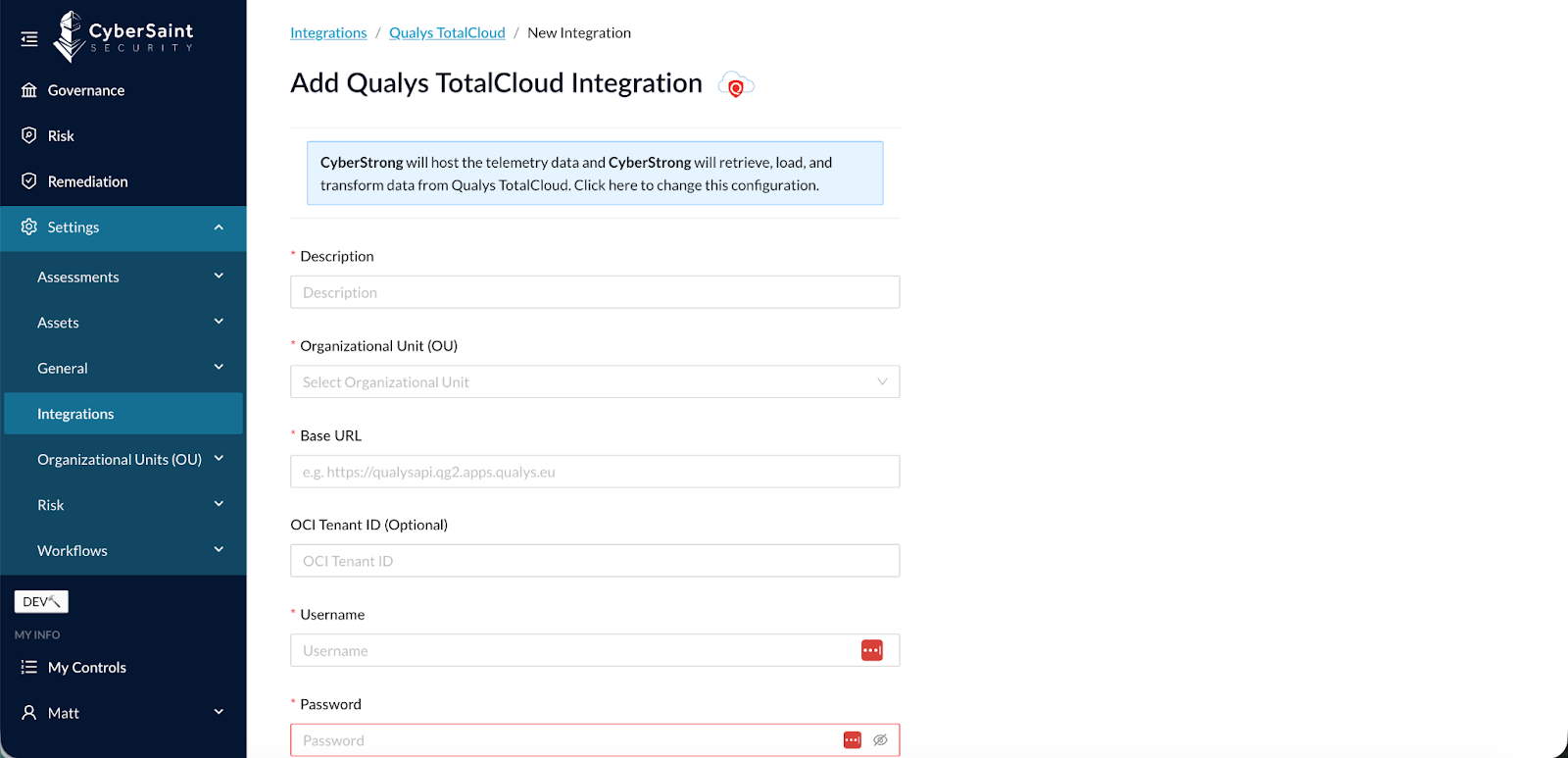
- Qualys TotalCloud (4.11)
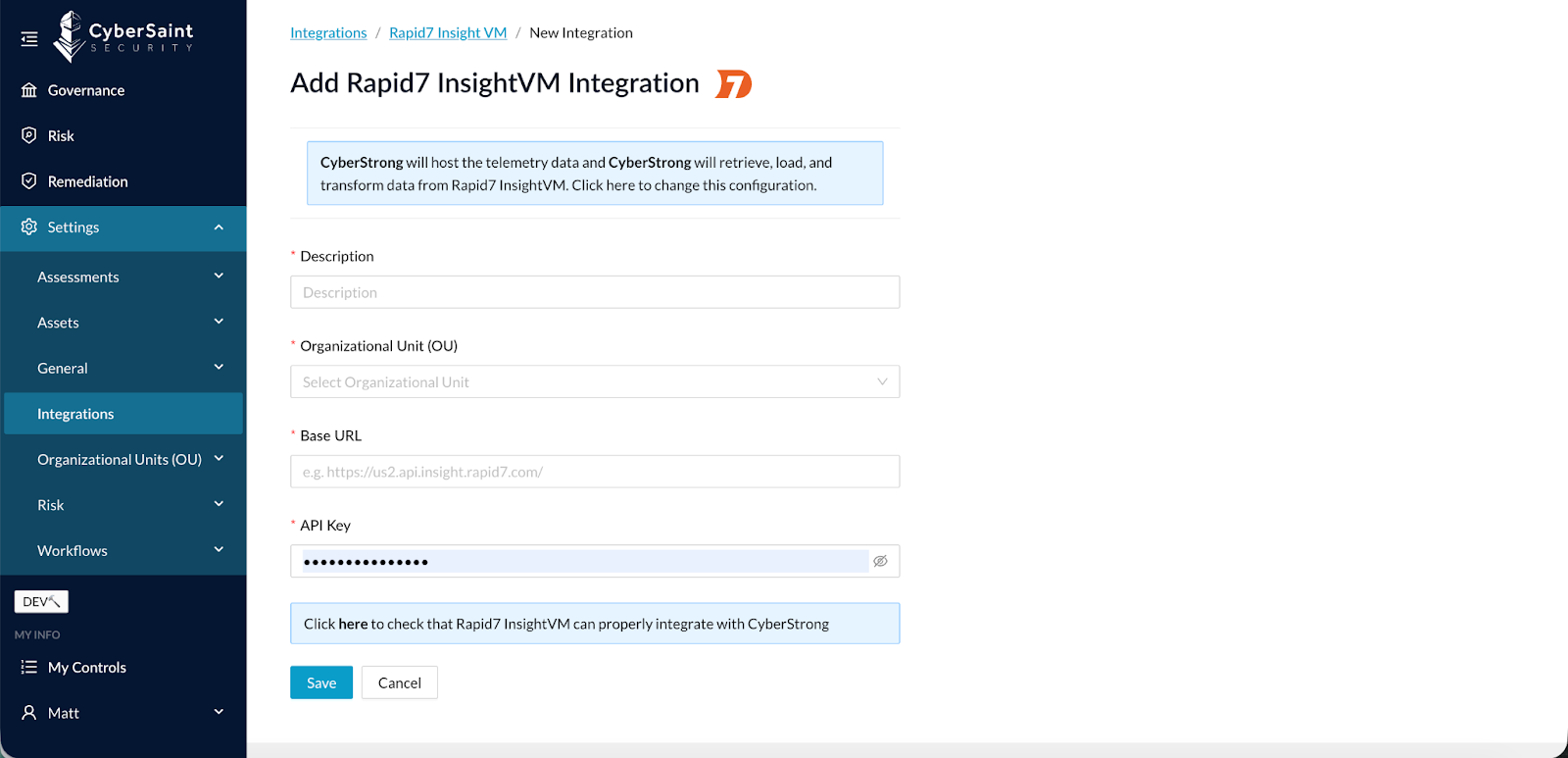
- Rapid7 InsightVM (4.12)
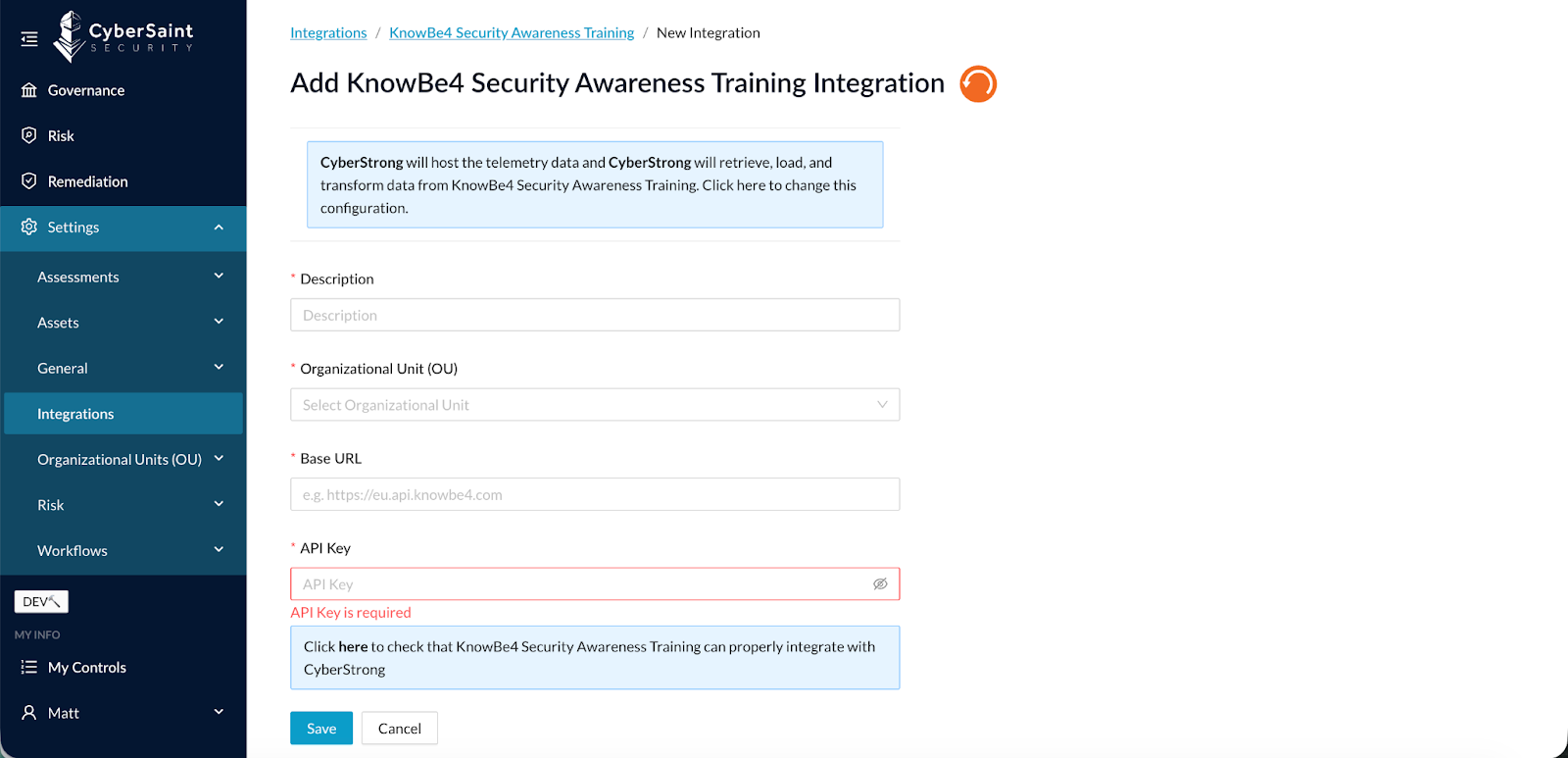
- KnowBe4 Security Awareness Training (4.13)
These connectors enhance automated control validation and strengthen real-time posture monitoring across infrastructure, vulnerability management, third-party risk, and human risk domains.
Findings by Asset Group
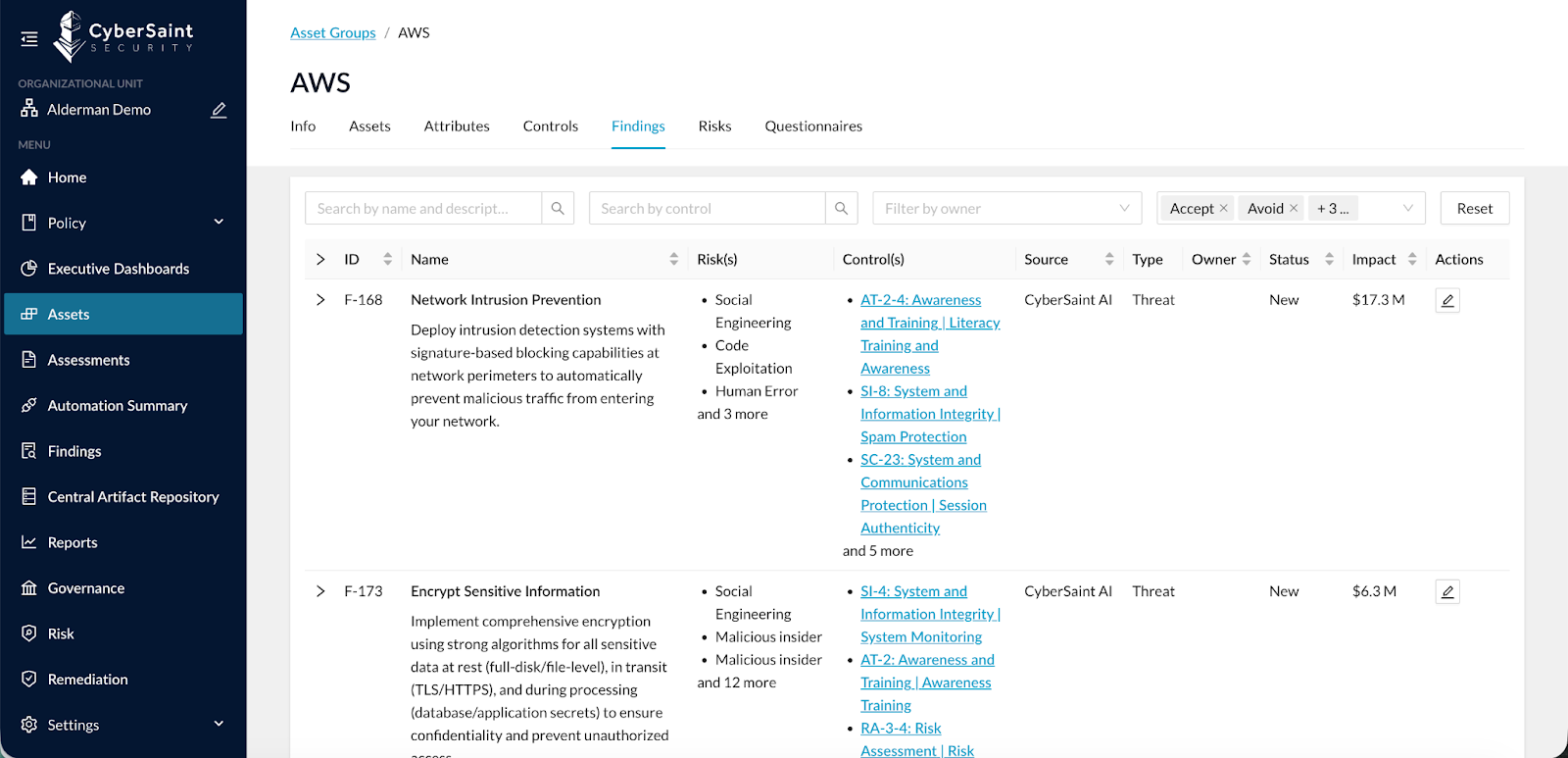
With the introduction of Findings Management, users needed a more contextual way to review Findings tied to specific Asset Groups. Filtering within the global Findings screen helped, but wasn’t ideal.
A new Findings tab has been added to the Asset Group view to see all Findings related to that Asset Group. Filters have also been added to this view to find and sort Findings by Asset Group.
What This Enables:
- Centralized Findings visibility by Asset Group
- In-context review and prioritization
- Enhanced filtering and sorting
This improves operational clarity and reduces friction when managing remediation.
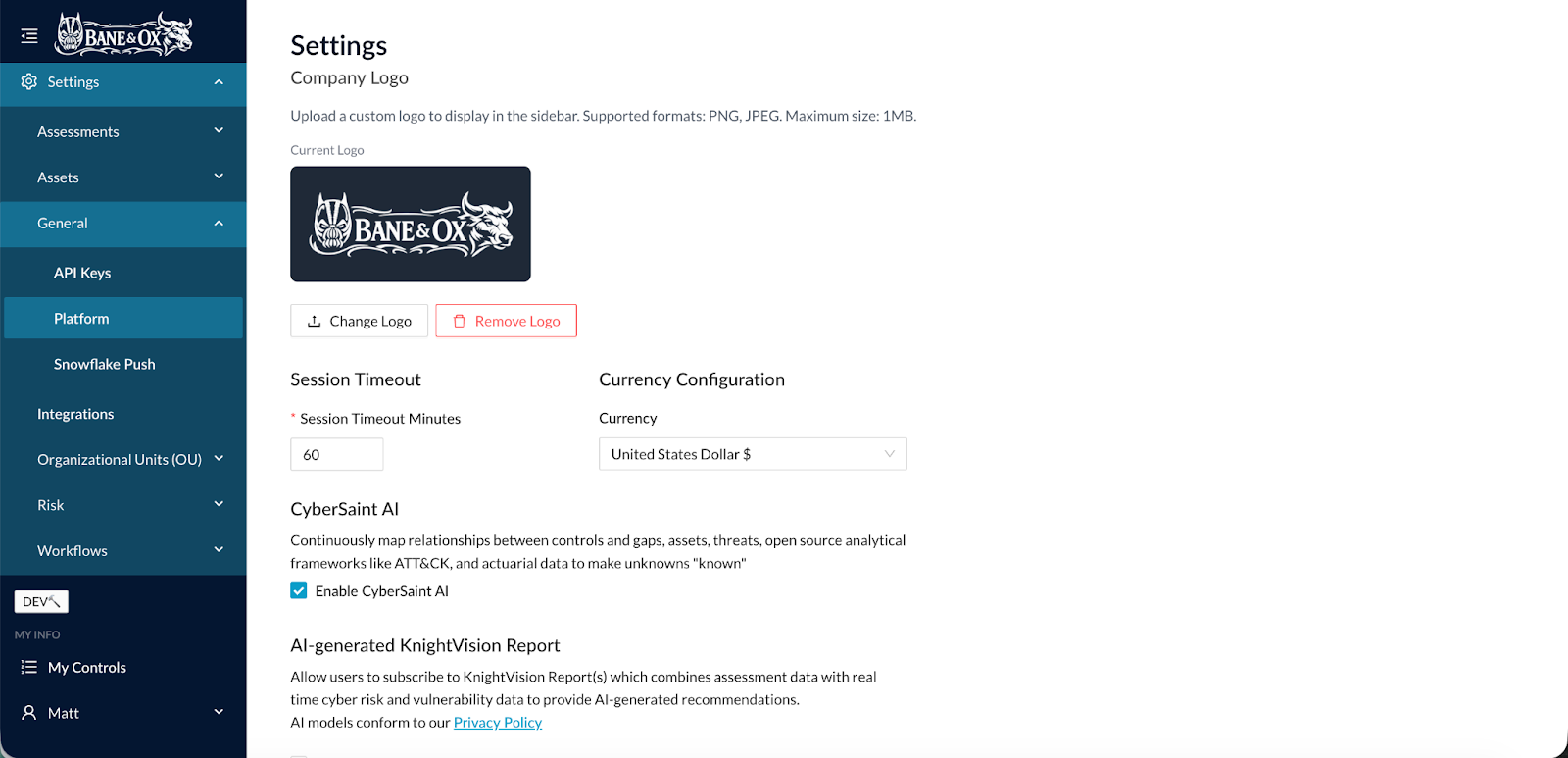
Upload Custom Logo
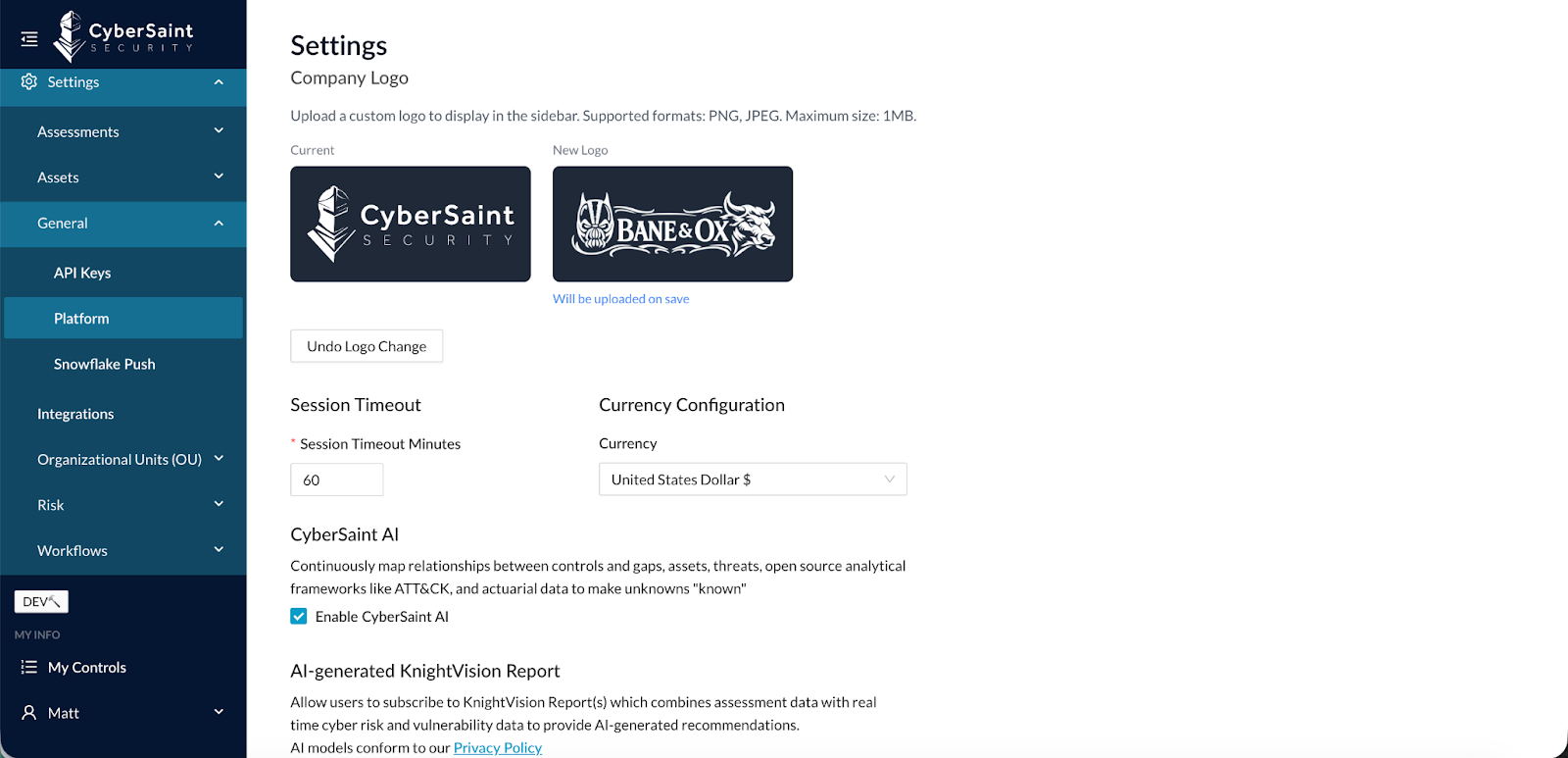
Clients wanted a way to brand their CyberStrong instance. Previously, the logo was CyberSaint’s and could not be updated.
Now, CyberStrong users can upload a new, custom logo. This new option is embedded under:
Settings > General > Platform
Simply change the logo by uploading a new logo file.
Asset Group Bulk Import
Enterprise onboarding often requires ingesting large asset inventories. Manual Asset Group creation slowed implementation.
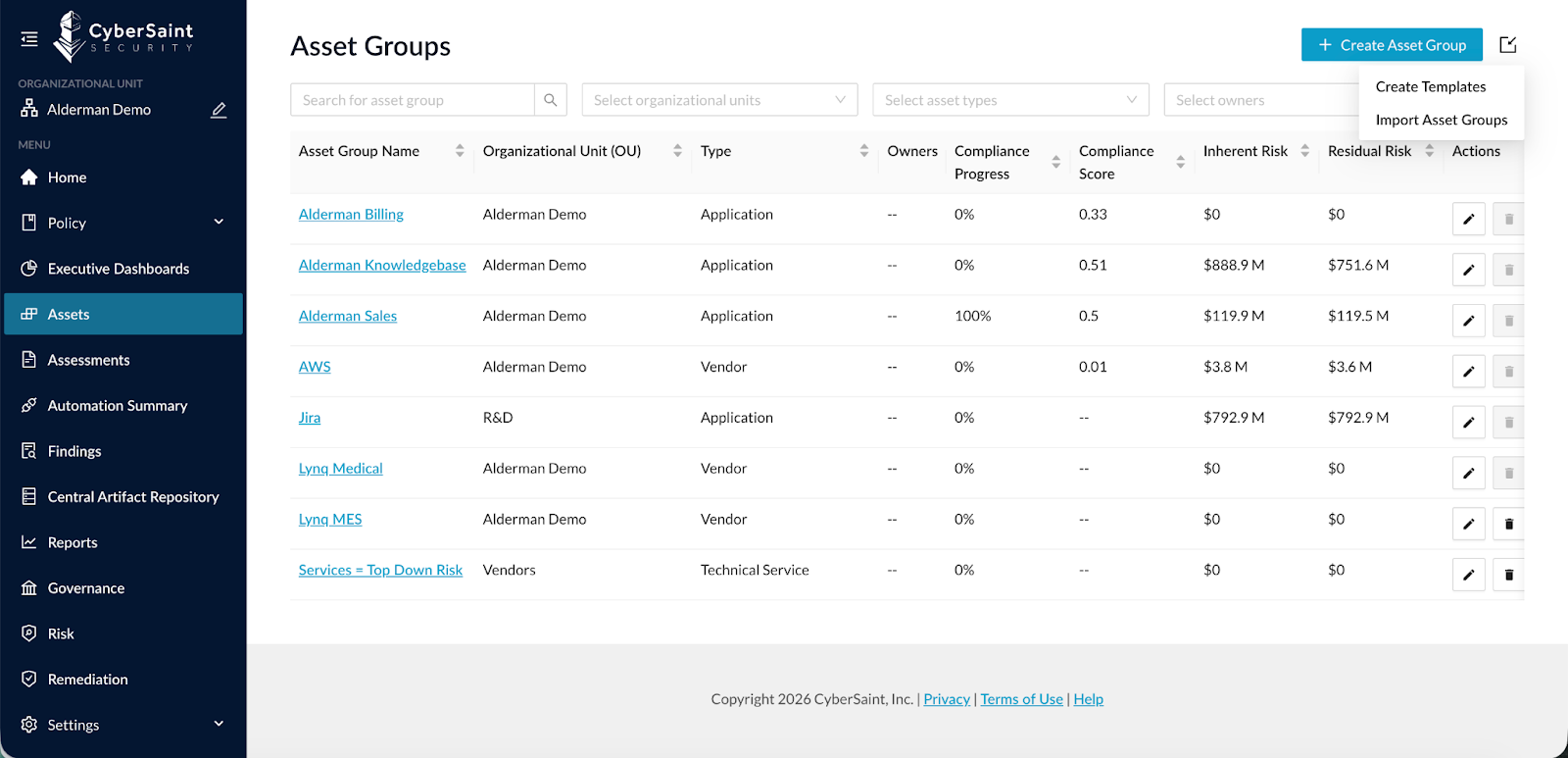
You can now bulk import Asset Groups directly from the Assets view.
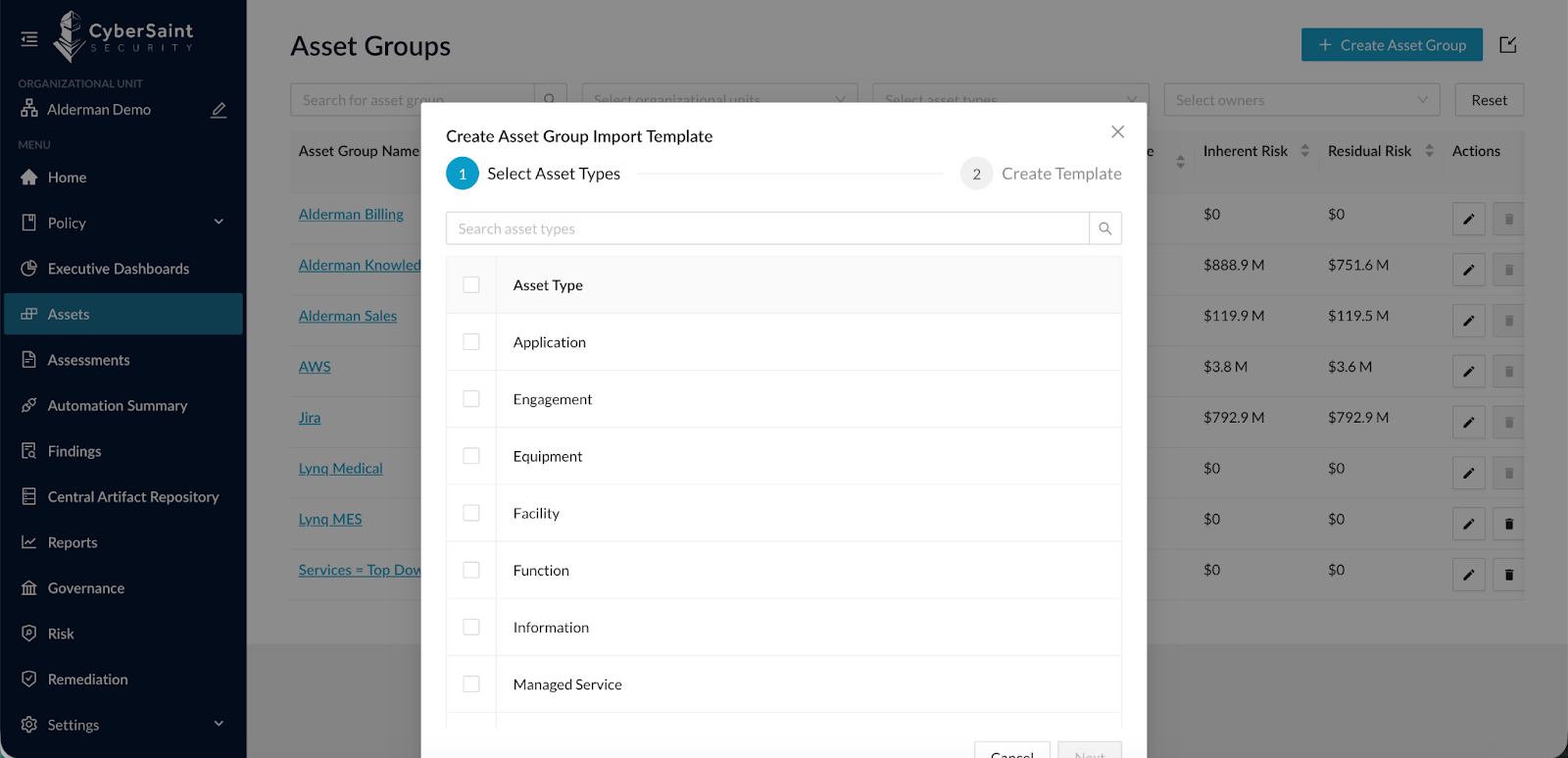
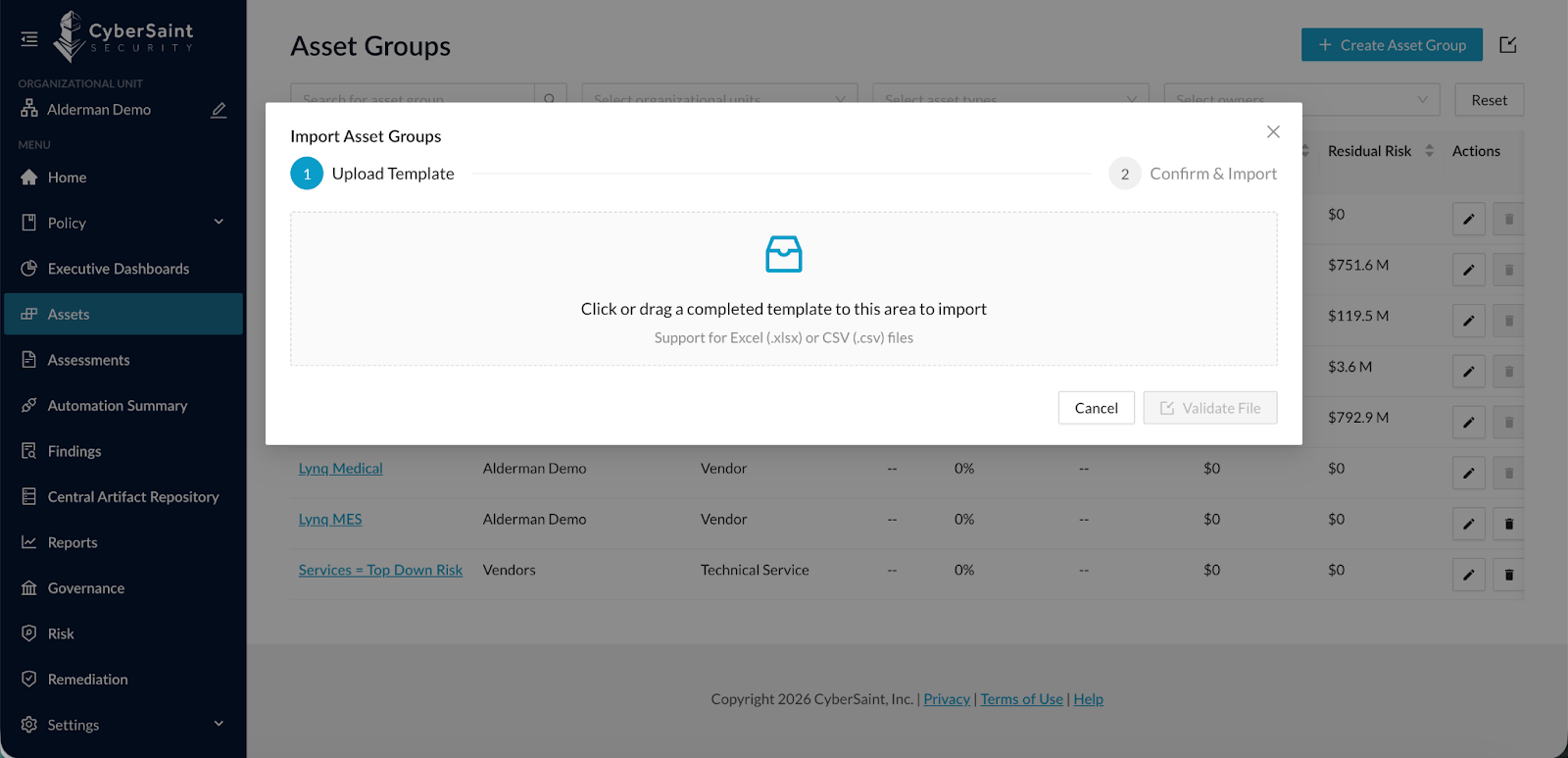
- Next to “Create Asset Group” in the Assets view, you can either create an Import Template or Import Asset Groups. By creating an import template, you can select which Asset Types to import, and the system will build the proper template for the data.
- Once completed, you can import that template to bulk load Asset Groups.
This dramatically accelerates onboarding and reduces administrative overhead.
Disable Residual Risk Baseline
The original FAIR CAM implementation leveraged industry benchmark data to assign control baselines. While powerful, some organizations prefer not to use those baseline assumptions.
CyberStrong users can now disable Control Baselines under:
Settings > Risk > Risk Settings
When Disabled:
- Residual risk will never exceed inherent risk
- Applies across all risks in risk registers
- Impacts current and future calculations only
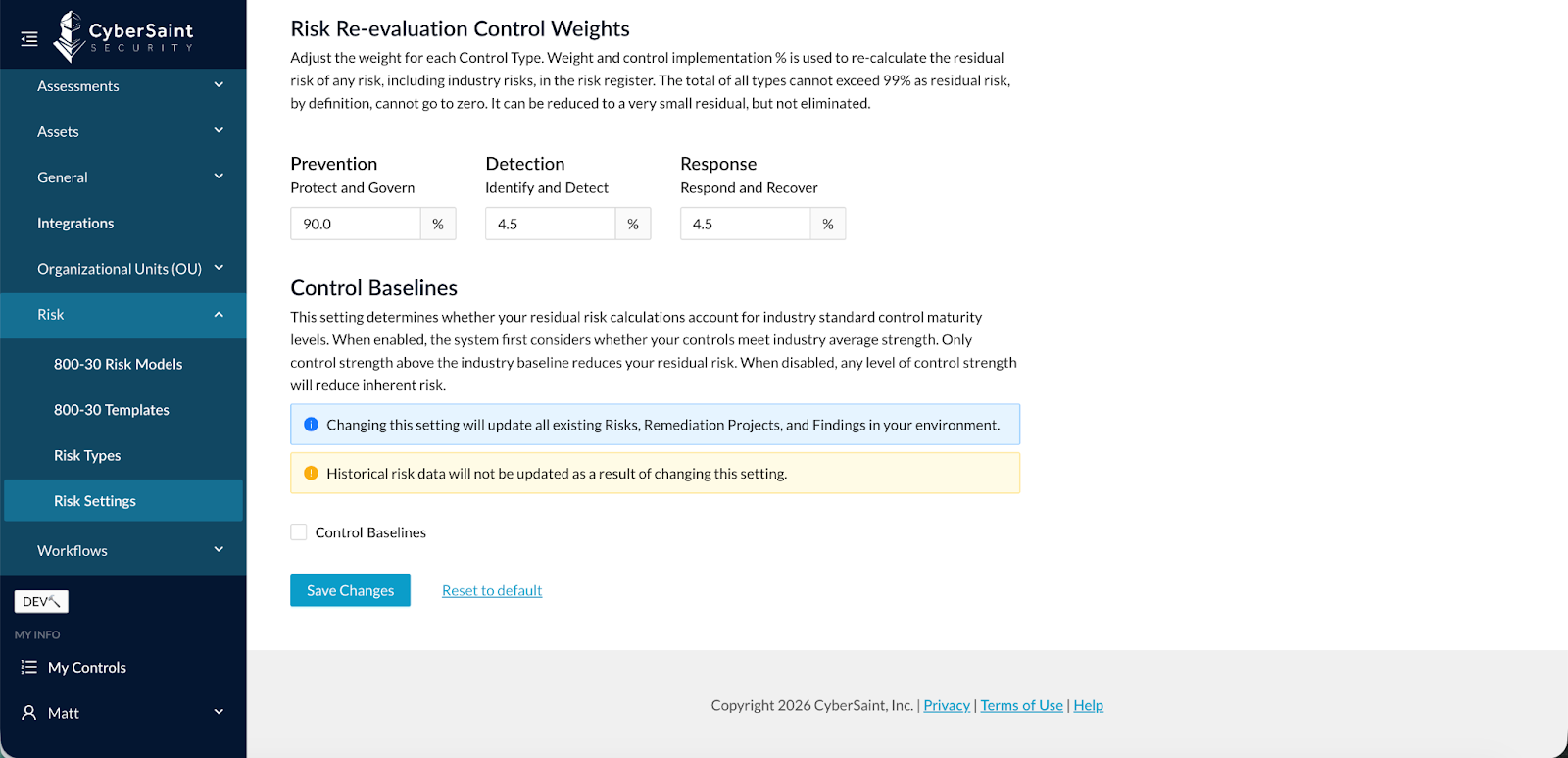
Note: If Control Baselines are disabled after risks have already been created:
- Historical risk data remains unchanged
- Updated logic applies moving forward
This provides greater flexibility in risk modeling methodology.
Asset Group to Assessment Workflow
Workflow automation previously focused only on controls and assessments. Clients needed more advanced orchestration capabilities.
We’ve introduced a new Workflow Engine.
The initial use case: automatically create an Assessment when an Asset Group is created, based on Asset Attribute rules.
Configuration Overview:
- With this release, we implement a brand new workflow engine. This initial release focuses on the Asset Group creation workflow that automatically creates an Assessment based on defined Asset Group attribute rules.
- Using the previously released Onboarding Form and this new workflow capability, clients can allow others to automatically create an Asset Group and its corresponding Assessment with the platform without any user interaction.
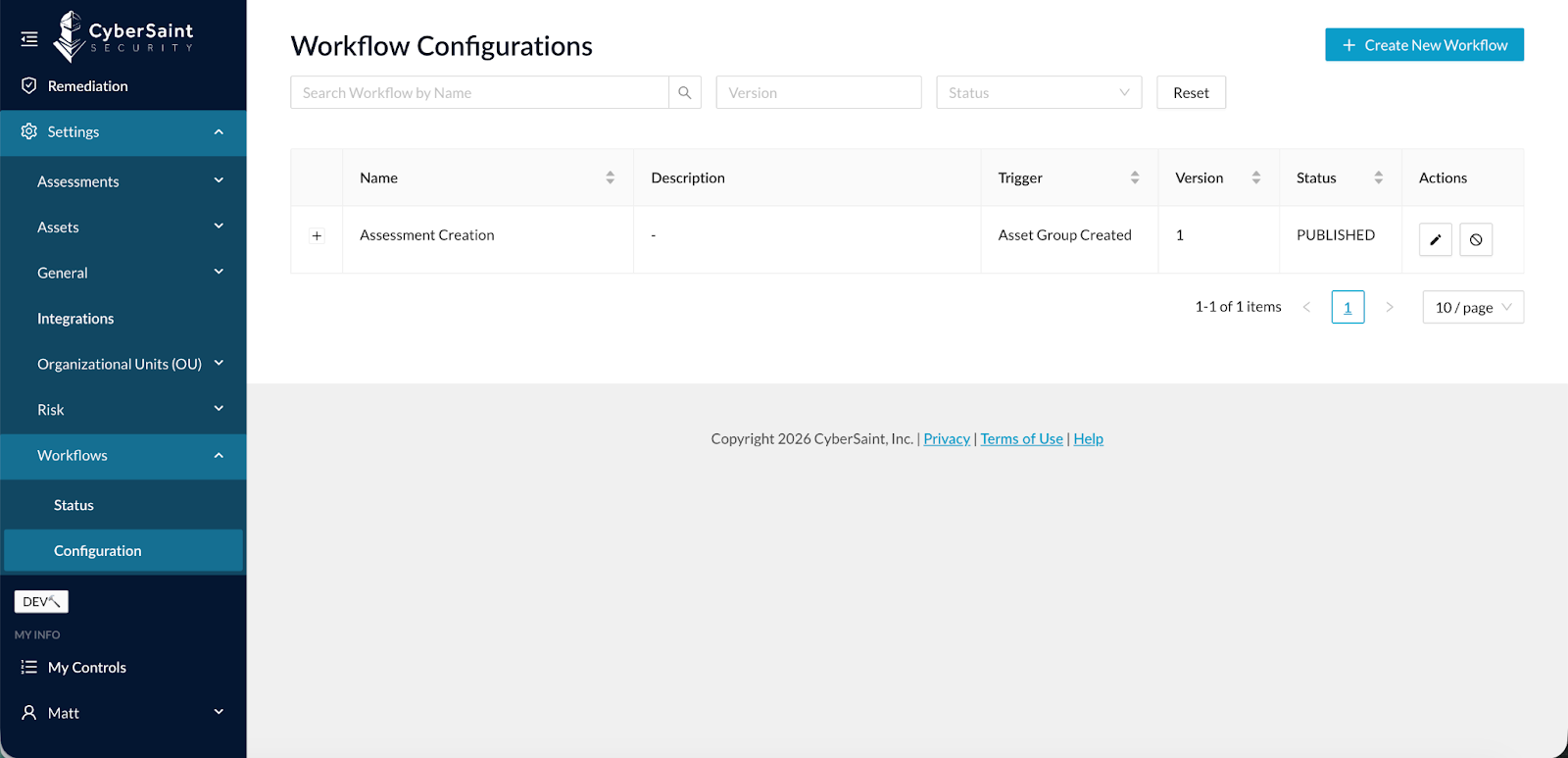
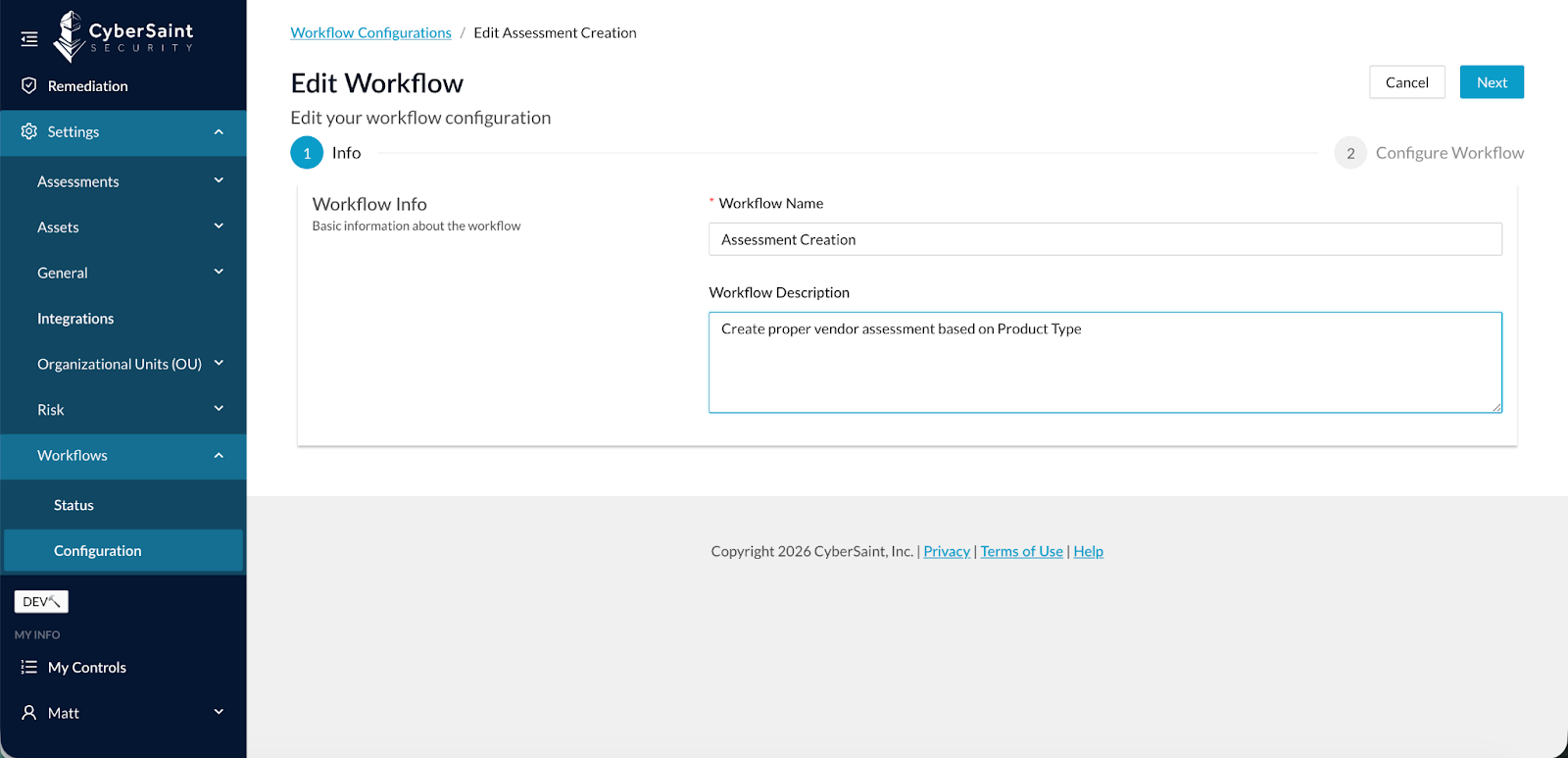
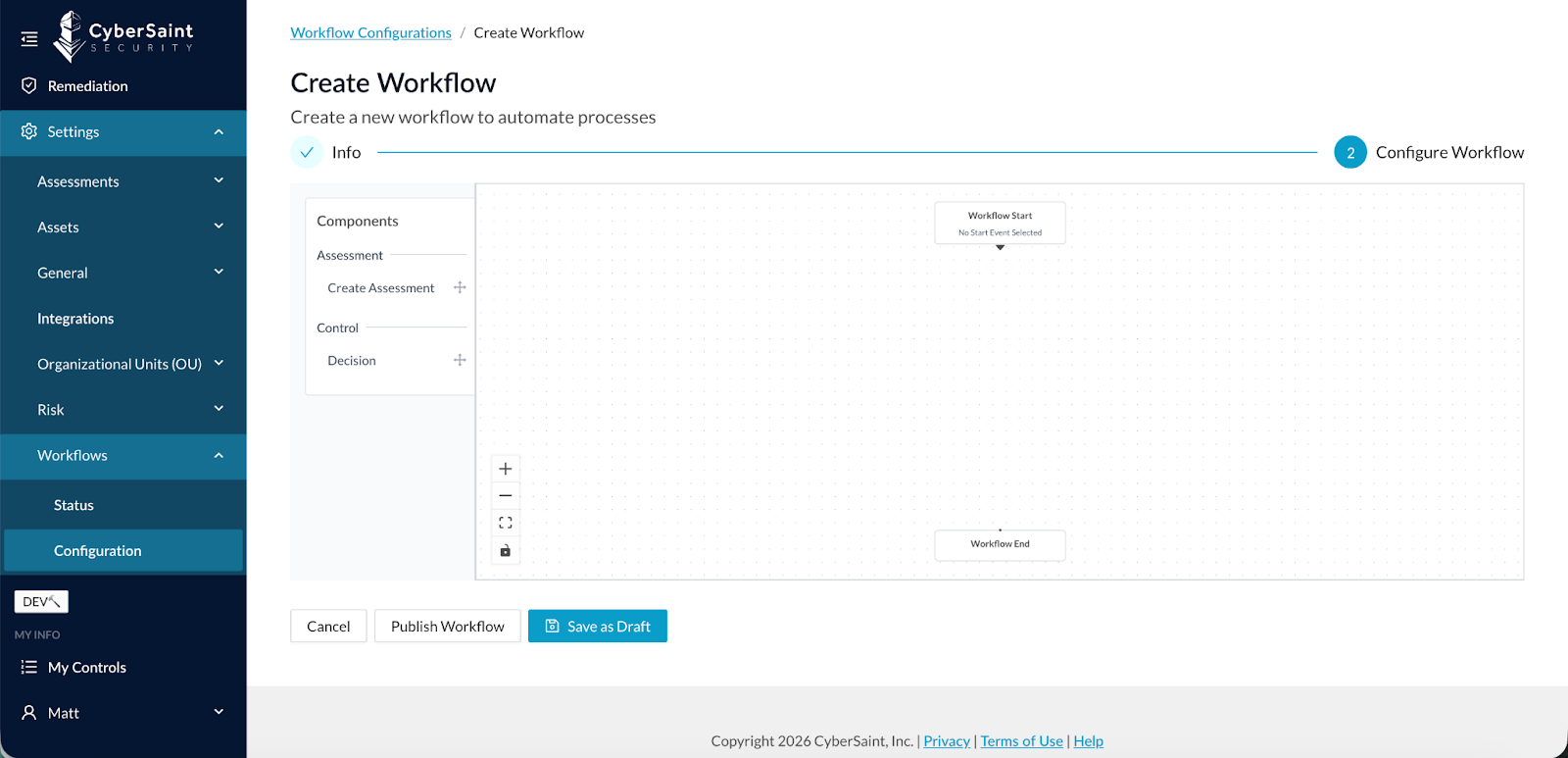
- To configure workflow, go to Settings > Workflow > Configuration, then click Create New Workflow. Enter the Workflow Name and Workflow Description, and click Next.
- Now you configure the workflow as follows:
- By default, you have Workflow Start and Workflow End nodes.
- Next, you add a combination of Decisions and Actions.
- In this release, Decisions are Asset Attributes rules, and Actions are Create Assessment.
- Decisions and Actions can be mixed and matched as needed to complete the workflow.
Once built and published, workflow status is displayed in Settings > Workflows > Status.
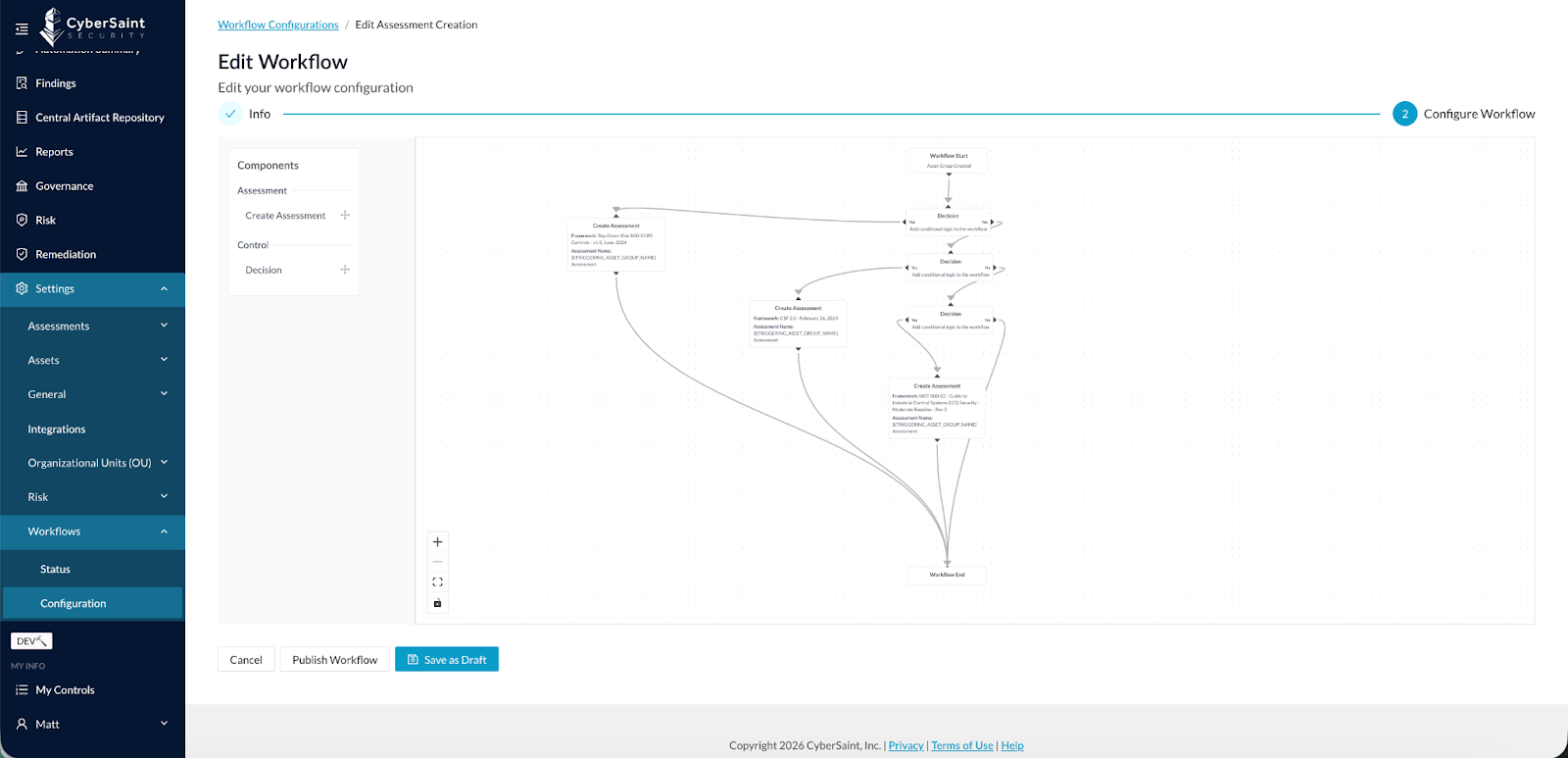
Automated Onboarding Use Case
When combined with the Onboarding Form:
- Users can submit Asset Groups
- The system automatically generates corresponding Assessments
- No manual administrative intervention required
This is foundational automation for enterprise-scale risk operations.
What’s Coming Next
This is the initial release of the Workflow Engine. Future enhancements will include:
- Asset Group to Risk Register / Risk Creation workflows
- Findings Management workflows
- Risk Management workflows
- Expanded Assessment workflows
Building Towards Connected & Continuous Cyber Risk
Taken together, these updates reinforce a core platform objective: enabling organizations to operationalize cyber risk in an automated, contextual, and scalable way.
- New CCA integrations expand real-time telemetry coverage.
- Findings visibility within Asset Groups improves contextual remediation.
- Bulk import capabilities support enterprise onboarding at scale.
- Residual risk baseline controls increase modeling flexibility.
- The new Workflow Engine lays the foundation for intelligent orchestration across assets, assessments, and risk processes.
Most importantly, these enhancements are not isolated features; they are foundational building blocks.
As we continue to evolve CyberStrong, you can expect deeper automation across workflows, broader integration coverage, expanded risk modeling flexibility, and increasingly intelligent process orchestration across the entire cyber risk lifecycle.
Our goal remains clear: To help you move from manual, fragmented risk management toward a connected, continuous, and quantified operating model.
Stay tuned for additional workflow expansions and automation capabilities in upcoming releases.